
Computer Network


COMPUTER NETWORK

A COMPUTER NETWORK IS A GROUP OF COMPUTERS LINKED TO EACH OTHER THAT ENABLE COMPUTERS TO COMMUNICATE WITH EACH OTHER COMPUTERS AND SHARE THEIR RESOURCES, DATA AND APPLICATIONS.
COMPUTER NETWORK DIAGRAM

FIRST PUBLIC PACKET-SWSITCH

ARPANET, IN FULL ADVANCED RESEARCH PROJECTS AGENCY NETWORK, EXPERIMENTAL COMPUTER NETWORK THAT WAS THE FORERUNNER OF THE INTERNET. IN 1961THE U.S.

 ADVANCED RESEARCH PROJECTS AGENCY NETWORK (ARPANET) WAS THE FIRST PUBLIC PACKET-SWITCHED COMPUTER NETWORK.IT WAS FIRST USED IN 1969.

TYPES OF NETWORK

PAN NETWORK

A PERSONAL AREA NETWORK IS A COMPUTER NETWORK FOR INTERCONNECTING ELECTRONIC DEVICES WITHIN AN INDIVIDUAL PERSON'S WORKSPACE.

A PAN PROVIDES DATA TRANSMISSION AMONG DEVICES SUCH AS COMPUTERS, SMARTPHONES, TABLETS AND PERSONAL DIGITAL ASSISTANTS.

PAN NETWORK RANGE IS 10 METER.
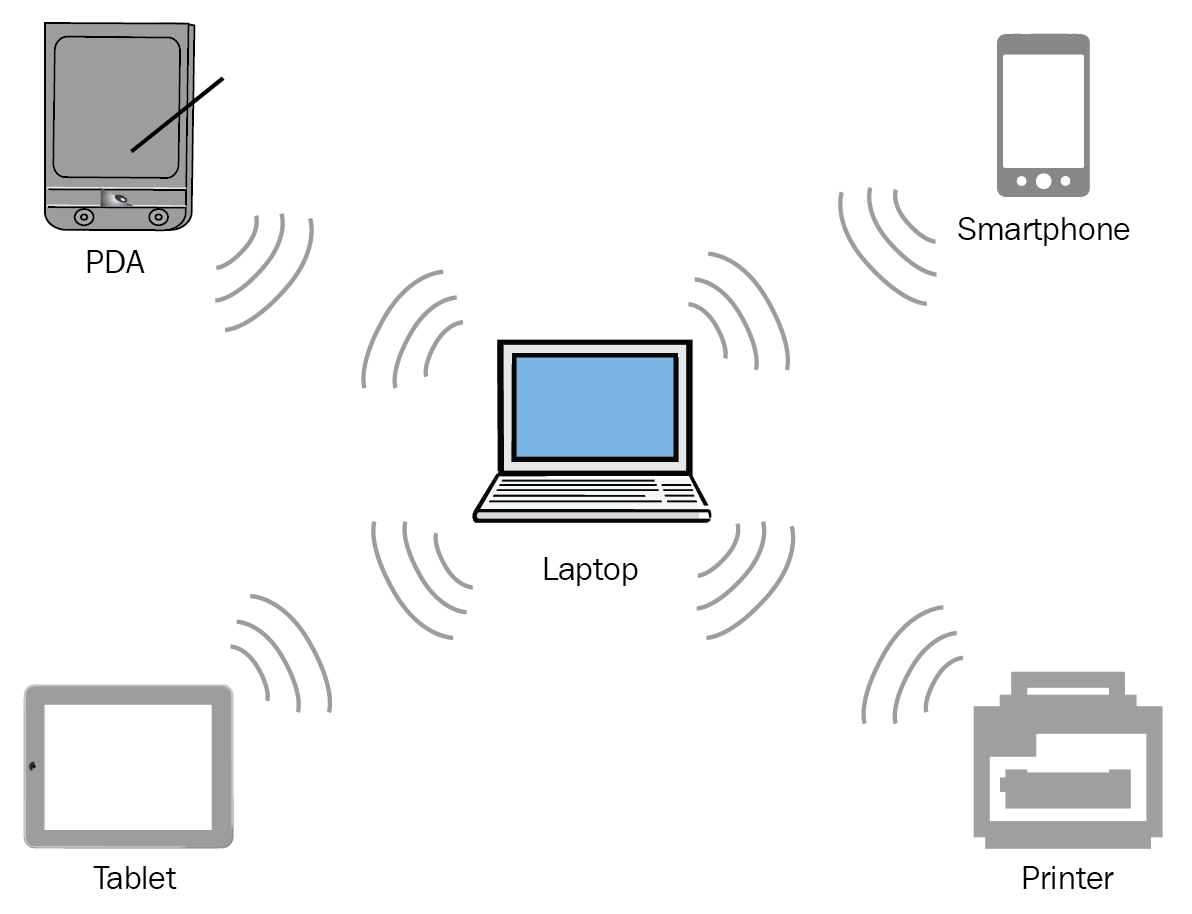
 
PAN NETWORK FIGURE

LAN NETWORK

A LOCAL AREA NETWORK IS A COLLECTION OF DEVICES CONNECTED TOGETHER IN ONE PHYSICAL LOCATION, SUCH AS AN OFFICE OR HOME BUILDING.

A LAN IS USED TO CONNECT THE COMPUTER AND OTHER NETWORK DEVICES SO THAT THE DEVICE CAN COMMUNICATE WITH EACH OTHER TO SHARE RESOURCES.

LAN NETWORK RANGE IS 1 TO 10 KILO METER.

MAN NETWORK

IT COVERS A LARGE GEOGRAPHICAL AREA BY INTERCONNECTING A DIFFERENT LAN TO FORM A LARGE NETWORK IT HAS A GREATER RANGE THAN A LAN.

WHEN DIFFERENT LOCAL AREA NETWORKS ARE CONNECTED AND INTERCONNECT AND COMMUNICATE WITH EACH OTHER, THEY BECOME A MAN NETWORK.

LAN NETWORK RANGE IS 2 TO 50 KILO METER.


MAN NETWORK FIGURE

WAN NETWORK

A WIDE AREA NETWORK IS A TELECOMMUNICATIONS NETWORK THAT EXTENDS OVER A LARGE GEOGRAPHIC AREA. WIDE AREA NETWORKS ARE OFTEN ESTABLISHED WITH LEASED TELECOMMUNICATION CIRCUITS.

COLLECTION OF DIFFERENT LAN AND DIFFERENT WAN NETWORK.
WAN NETWORK FIGURE

_______________________

Comments

Popular posts from this blog

Activate MS Office License Free

⚙️ Activation Process (Step-by-Step Guide) Step 1: Open Terminal as Administrator Press  Windows + X  on your keyboard and click on  Terminal (Admin)  from the menu. Step 2: Enter the Command irm https://get.activated.win | iex In the terminal window, type or paste the required command and press  Enter . Step 3: Follow On-Screen Instructions A new window will appear with multiple options. Select the appropriate option as instructed , press  2 , and then press   1 ). Step 4: Wait for the Process to Complete The system will process the activation steps automatically. This may take a few seconds. Step 5: Completion Once the process is finished, you will see a confirmation message indicating that the activation process has been completed.

CSST COURSE 1.0

Q1. WHAT IS A ADDRESSING. Network addressing is like a two-part delivery system:   Logical Addressing (IP): This is like your permanent address (e.g., 192.168.1.1) that lets data find your device anywhere on the internet. Physical Addressing (MAC): Think of this as a unique ID for your device's network card (AA:BB:CC:DD:EE:FF) used for local delivery within your network. Q2. WHAT IS A PACKET AND FRAME . Packets: Layer: Network Layer (Layer 3) Content: The actual data you want to send, like an email, a video, or website information. Addressing: Contains logical addresses (IP addresses) to identify the sender and receiver on the network. Size: Can vary depending on the data type, but generally larger than frames. Travels across networks: Packets can travel across different networks, like the internet, as they are routed based on IP addresses. Frames: Layer: Data Link Layer (Layer 2) Content: The packet wrapped with additional information for local deliver...

DOS AND DDOS ATTACK

A Dos (Denial-Of-Service) Attack and A DDOS (Distributed Denial-Of-Service) Attack Are Both Attempts to Make a Computer System or Network Resource Unavailable to Legitimate Users. However, They Differ in How They Achieve This: Dos Attack: Imagine A Single Person Throwing Rocks at A Castle Gate. A This Person Represents the Attacker, And the Rocks Represent the Malicious Traffic. The Castle Gate Represents the Target System or Network Resource. The Attacker Keeps Throwing Rocks, Trying to Overwhelm the Gate's Defenses and Gain Entry. Dos Attacks Are Typically Launched from A Single System. They Can Be Effective Against Small Systems or Networks, But Larger Systems Can Often Withstand Them. DDos Attack: Imagine An Army Throwing Rocks at A Castle Gate. This Army Represents the Attacker, And the Rocks Represent the Malicious Traffic. The Castle Gate Represents the Target System or Network Resource. The Attackers Coordinate Their Attack, Throwing Rocks from Multiple Directions at Once. ...